
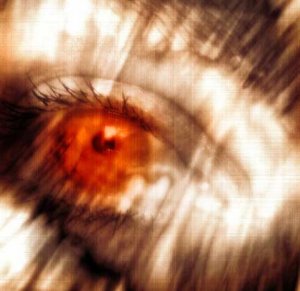
The other day blog buddy Silverstar mentioned over here that many of my photos are way too red and said “you need to learn to set the white balance on your camera”. The photo she commented under was actually quite orange anyhow, and had been taken at night without a flash, but she had said that many of my photos come out this way … so of course I began to worry! Don’t worry, Silverstar, it’s something that’s concerned me before now, because I’m never sure if my laptop washes out colours since things like my tapas blog tend to look quite different (and often much worse, imho) on other monitors. And this also changes depending on which angle laptop screens are set at.
So because my images are very important to me I am conducting my first ever poll…
This will require a few minutes of your time, to look at a small random selection of photos (including the colours on the main page) on the following three webpages and just let me know what you see. Instead of “too red” I’ve made the option “too intense” as someone else told me some photos looked “too yellow” to her. I know it’s impossible to get the colours perfect for all monitors, but this might help me when I’m posting photos in future.
“Other” comments on the poll (as well as here) are also welcome.
~ “seeing red” image from Outflux ~


Most of them seem OK to me, the odd one here and there are too orange and this is a common problem with photos taken at night it seems. The daytime ones all look fine, and many of the night time ones too. I usually do a white point correction in Photoshop if mine look too orange (a matter of just picking a spot on the photo that ought to be white and clicking on it).
I didn’t vote on the poll ‘cos what I wrote above didn’t seem to fit any of the responses!
LikeLike
Oh and the one on the entry you linked to I would say was definitely a matter of having the white balance wrong. I just tried fixing it in photoshop but it’s too far gone, you’d have to have set the white balance before you took the photo rather than after. (This is because some information is lost on most digital cameras when they save the file. Some high end ones store the “RAW” data which means no information is lost.)
Some of my photos are like this too, like these, although I managed to clean one of them up a bit to look like this.
LikeLike
OK, first of all I deal with colour temperature all day long. Fluorescents are about 6000 to 6500 Kelvin, regular light bulbs are down below 3200 Kelvin, daylight can go from 6500 or higher on a blue cloudless day to around 4800 when it’s cloudy or even lower at sunsets and sunrises (the “magic hours”). The higher the number, the “bluer”, the lower the number the “redder” but that is misleading, there can be spikes (especially with fluorescents) in blues or greens or even reds. Generally speaking in video we tend to average them and say that daylight is 5600 K, Fluorescents are 6300K and incandescent light bulbs are 3200 K. Candlelight is something closer to 2200 K, which was confirmed when Kubrick did “Barry Lyndon” (his one great mistake!)
Bottom line, if you like what you shot then leave it alone and let everyone else deal with it. If you are concerned, remember that if there is nothing other than Red and orange in the picture then ROYGBIV, nothing else can be recovered.
Cheers!
Az, you’ll be glad to know that my greatest cinematic hero, Stanley Kubrick used over saturation of colours (obviously blue light through the window and orange light from household lights- remember the blue/green light on Jack Nicholson’s face from the fluorescents in The Shining?)
So that’s why I don’t “fix up” my photos- they are what they are, what we recreate in what is called “justified lighting” not what we want them to be, like the blue back light in every close-up in Star Trek.
Then comes the media. The colour will look different depending on the transmission, storage and/or compression of the data, whether the screen is LCD, LED, CRT or a hard copy print. The software that produces the image and the hardware that shows it will be as different between viewers as can be imagined.
LikeLike
I didn’t notice anything consistently “out” with the photos. There were a few where the colour was intense in the night scenes but not in a jarring sense. I think the intensity actually is very nice. For the purpose of the blog, the colours are very inviting. You might not high intensity for family photos but, in fact, I was very pleased with the ones I was seeing.
Often, colours will appear more intensely red, orange, or yellow, depending on what lighting is being used where the photo is being taken.
Most digital cameras have a setting which allows you to choose the lighting you want to use for the conditions you are shooting at.
It is a good idea to check the setting you are using by flipping back and forth through the selections to make sure that, for instance, in fluorescent lighting, you aren’t getting too green a cast or blue, and for incandescent, you aren’t getting too orange or red a cast.
As well, many cameras have a “vivid” setting which allows you to intensify the colours. I am often tempted to use this setting only to find that the colours are WAY to intense. It is much easier and safer to edit the intensity using your photo software after the fact than to try and remove it when you have shot some “once in a lifetime” event using “vivid”.
You might also want to check that your camera LCD isn’t set too bright. I have to check mine because I often find that where I thought the lighting was good, my photos are a bit dark because I have my LCD turned up a bit high.
If you are looking at someone else’s photos or website and the colours seem off, and you are seeing something as “too dark”, “too red”, or “too washed out”, it may well be your calibration on your monitor.
A few years ago, when using my ancient monitor, my photos were always way too dark, so when I was editing, I was adjusting my photos to match what I THOUGHT was the correct lightness. Az and others kept pointing out that my photos were too washed out and I was SURE that they were fine. As it turned out, my monitor was shot, the screen was way too dark, and there was no way of lightening it up.
My only option was to get a new monitor.
I was SHOCKED at how washed out the photos I had been editing.
I had to go back and darken all my “best” photos.
I would always suggest visiting one of the calibration sites which allow you to check and adjust the settings on your computer.
LikeLike
Though some of the colours look a little off to me – I suspect this is a mismatch, since there isn’t anything consistent.
LikeLike
There are some which are a little bit pink but the majority are great pictures. I use Microsoft Photo Premium 10 to adjust pictures which have a colour cast. It’s part of the Works suite.
LikeLike
Sheesh, not even one person did the survey…
I just checked the light quality thingy on my camera (for the first time ever). White balance and ISO are set to “auto”, all filters are off, and Sharpness, Saturation & Contrast are set to “0”.
I use Picasa to edit pics. Mostly I just crop and lighten. With the food pics I often do one click on “sharpen” and sometimes one click on “saturation”, to make the food look more like it did at the restaurant.
I think I’ll adjust my laptop screen so that things are a bit darker as it seems most monitors are set a bit darker than mine. Ummm… how do I do that?
LikeLike
I finally got a new monitor at home and now your pics look okay to me. They were all too orange and saturated before.
That probably means my new monitor needs to be adjusted. 😉
Now … I’ll go do the survey so you’ll have at least one outcome. Be warned, though: I might lie.
LikeLike
I did the survey… You can only select one and I clicked “Fotki photos looked okay”…
LikeLike
…. and a second time choase Tapas blog photos looked okay…
LikeLike
I must be hitting something when typing because the comment box keeps sending before I am finished…
And a third time, hit Casa Az photos look fine…
LikeLike
Okay, I have adjusted the brightness on my screen, but what I really need is more contrast. Any idea how I do that?
For example, on other computer screens I can actually see that the alternating comments here are in a different colour.
LikeLike
I thought that the red-ish shades were done on purpose :blush: I rather like the result anyway, but then again, you shouldn’t ask me about colours.
LikeLike
This isn’t about the photos but I wanted to point out that this post doesn’t show up on my reader. Did you do something different in the configuration? The posts before and after are there; I checked several times, refreshed. Not there.
?
LikeLike
az – you can’t get that much contrast on most laptop screens unfortunately. I can’t see the comments in different colours either. If you right click your desktop, go to properties, then settings, then advanced there may be a ‘color’ tab which will allow you to modify the gamma curve for your monitor which might work for you (it wasn’t enough for me to be able to see the alternating colours on my one though).
LikeLike
Pip, check your chrome reverse muffler bearing and the titanium strip on the gamma regulator. 🙂
LikeLike
It’s still not there, on either computer. I only bring it up because of all the WordPress updating you did recently.
I’ll have you know, Zoomer, that my gamma regulator is perfectly fine. And in the biz we call it a “gammalator”, but only when we have oversaturated the ROYGBIV at a minimum of 5000 Kelvin. Otherwise, as you well know, it would compromise the contrast of the lumens. (Which, of course, is why I keep around a few extra fresnels and dichroic filters, for when things get messy.)
LikeLike
Yikes! She knows my lingo! I’m busted!! She capitalised my zoomer which means she’s serious! eeeerrrrrrrrrrrr, ahhhh, ooohhhhhh … So, how’s the filo? 😀
LikeLike
“I only bring it up because of all the WordPress updating you did recently.”
Totally unrelated, as those upgrades were for my self-hosted blogs on WordPress.org. Here they do everything for you. It might have something to do with the survey widget.
So who are ROY and Kelvin … friends of NED?
And yes, how was that filo?
Bummed that I can’t get more contrast on my screen. *sulk*
LikeLike