
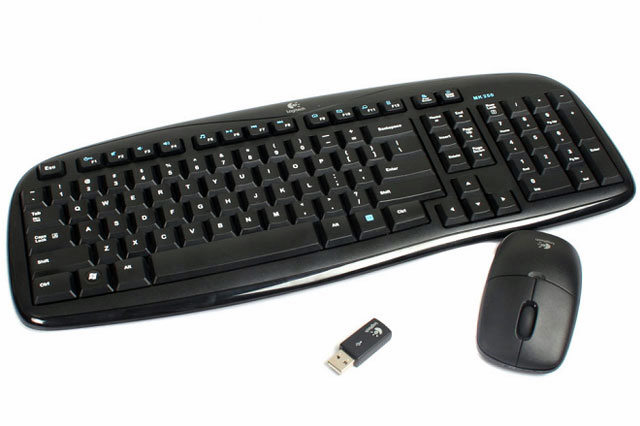
 Remember when my wireless laser mouse went all speedy gonzales on me? Well, I tried all the various things that people suggested, but it seemed that nothing helped. And it was driving me mental. So yesterday I stopped by FNAC to see if they had a cheap wireless mouse (Speedy cost almost 50€!!) and I saw this amazing offer. A nice Logitech wireless keyboard and mouse set for just 25€! And as I had a 10€ member’s voucher to spend I got it for just 15€. What a bargain. So now I have set Nog up with my old keyboard – he’s been using Sexy Beast since his old laptop died last year – and then thought to also try it out with Speedy. And wouldn’t you know it. The old wireless mouse seems to work just fine on Sexy Beast. Go figure.
Whatever. I now have a very cute and comfortable wireless keyboard and mouse that cost next to nothing, and which makes working online all day so much easier. And as Shadow only has three USB ports it’s much better to only have one in use for both. Now I just have to try and not buy that great looking multi-media Toshiba L655-1JV with a 4.5 hour battery that I saw while I was at FNAC…
 casa azahar
we have a wireless keyboard and mouse in our conference room and every time I try to use it to show something on the big screen the darn thing seems to have run out of battery or got stuck… I hope yours is more reliable!
LikeLike
Sometimes removing the mouse’s receiving device from the USB port and reinserting it will clear up this problem. Cheap batteries are also a problem, however. I’ve learned to avoid a few brands that seem short-lived.
LikeLike
If your wireless mouse is Speedy Gonzalez, think of mine as on a perodic siesta…Got a cheap (black) desk, and ever since, the mouse just won’t track right. I’m guessing that there’s not enough variation in the pigment of the desktop to let the mouse realize it’s moving. No problemo with the old wood grain desk.
Good luck with your scan today, az!
LikeLike
I found that some of my previous mice needed a white background and I used to tape a few pieces of bond paper to my keyboard tray. Try it and if it works you can try get light-coloured craft foam to use as a pad if you can’t find a white mouse-pad. Sometimes the slick surface of the regular mouse-pads is the problem. My IKEA keyboard tray came with a black, matte-finished surface and it works great unless there are crumbs or dust on the surface (Swiffer duster!)
LikeLike
I seem to have the one-step higher up keyboard, Az. I have a row up buttons above the “F” row with email, music, and “home” buttons, as well as a series of sounds buttons on the top right. I will never use them but this was the only one they had and they didn’t have ANY wired keyboards!
I suggest turning your keyboard and mouse off when you turn your computer off at night (and when not in use for extended periods). It definitely saves on batteries.
LikeLike
My old plugin keyboard has all kinds of crazy extra buttons that I never used. I’m really pleased with this new Logitech one. Nice key action (old one was getting sluggish) and does everything I need, though I can’t see an “off” button…
LikeLike
I have a few wireless devices, but I’m sort of back in the olden days. I am used to having USB wires going in all directions from multiple hubs. I just got used to it. Usually, I have a wireless mouse, but the keyboard is still on a wire.
LikeLike
Ack, those hubs would drive me nuts. My desk is messy enough as it is! Which is part of the reason for wanting a wireless mouse & keyboard, as these are things I use all the time, unlike the printer, camera, iphone, which only get plugged in from time to time.
LikeLike