
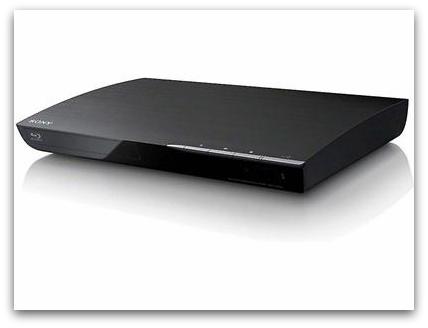
 After some surprising news from the gyno yesterday (I don’t have a cervix!) I felt so relieved to know that there was one less cancer-causing factor to worry about in my life that I decided to buy a blu-ray player. Yes, it makes sense.
Anyhow, was all excited about this new purchase (50 euros less than a slightly larger Sony model with WiFi I’d previously seen) until I got it home and discovered that it didn’t come with any connecting cords. WTF? I mean, bad enough there weren’t any cords in the box but why didn’t the salesclerk tell me this at the time so I could have picked one up while still at the store? And so, after a bit of delayed gratification while I went out to buy an HDMI cord I came home to set this baby up and… it doesn’t work!!!
I’ve tried everything but am pretty much stumped at the first step of any operation, which says “switch the input selector on your tv so that the signal from the player appears on your tv screen”. This doesn’t happen no matter what I switch. The only thing I’ve had appear on my tv screen is a notice saying there is no signal and that I should check my antenna. Huh? Maybe it’s the player? Or maybe I got a dud HDMI cord? Help?
 casa azahar
Congratulations for the good news! The blu-ray player makes sense 😀
I cannot help with setting up the device, sorry. Sacrificing a chicken?
Good luck!
LikeLike
And WHERE am I supposed to get a live chicken on a Sunday???
LikeLike
Doesn’t your landlord keep some?
LikeLike
The TV remote should have an “input source” selection button. This often has a symbol like a square with rounded corners with and arrow pointing into it. When you press this the TV usually changes sources and tells you which one it is on – I would imagine they would be called AV1, AV2 etc – you should keep going round until you – hopefully – see the setup menu, or whatever the Blu-ray instructions are telling you to look for.
If it is more than that, post the make and model of the TV and the Blu-ray and I’ll have a look and see what I can find out.
LikeLike
My hero! 🙂
Here is the online manual for the blu-ray player:
Sony Blu-Ray BDP-S390
And this is the one for the Philips TV (now 7 years old)
Philips 32PF5531D/12
The thing is that nothing happens when I turn on the blu-ray player. It seems like no connection is being made between it and the tv.
LikeLike
It’s on page 17 of the blu-ray manual that everything falls apart. Cannot get signal.
LikeLike
OK here is the full manual for the TV
Click to access 32pf5531d_12_dfu_eng.pdf
Look at page 29 / 30 for options around connecting other devices and see if that helps.
LikeLike
Did you try the internet (not just here)?
LikeLike
Coincidentally I did the same thing for relatives last week. I assume the tv has at least one HDMI input (too lazy to check the manual) so the input menu should list this input. The problem is that digital signals can take a second or two to ‘take’ so you have to stay on that input for 10 seconds or so to make sure you have chosen well. HDMI cables are fairly simple, despite their excessive cost so I doubt it is a cable fault.
Good luck!
LikeLike
Yay! It’s working! And Johnny was right – I had to use the AV button (duh, I don’t know why I couldn’t find it yesterday). Watched a QI on YouTube and now just updating the software. Still have to figure out all the things I can do with it, but at least it seems to be working okay. Though it looks like I’m going to have to switch over using the AV button all the time. The DVD player used to do it automatically.
LOVE new gadgets when they work! 🙂
LikeLike
Yup – there’s something very satisfying about that.
LikeLike
Pingback: netflix españa | casa az